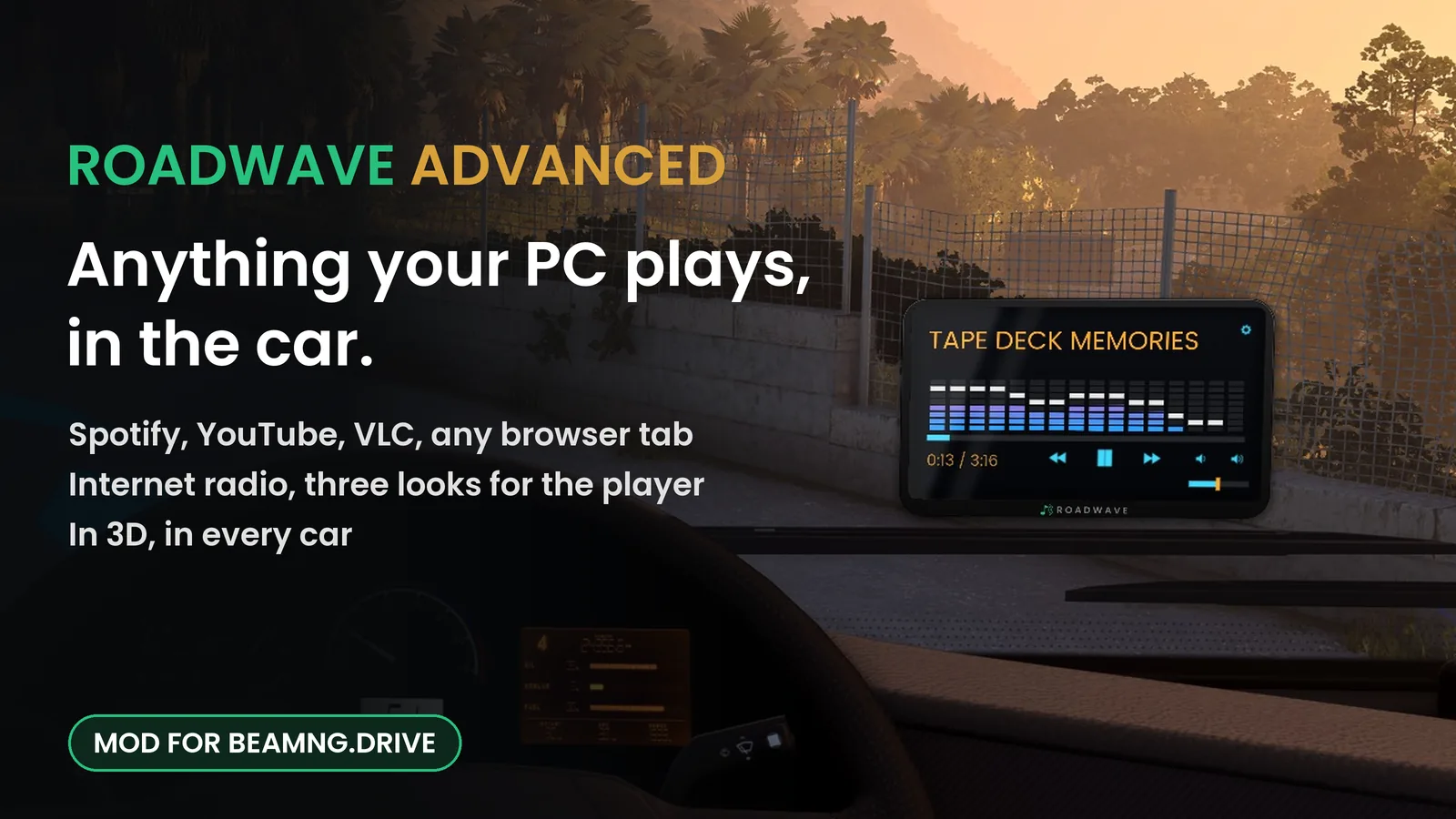
Play anything your PC is playing through your car in BeamNG.drive.
Press play in a browser, a music player, a livestream. Press This PC in the game,
and the sound comes out of the car instead of your speakers, in 3D, fading and muffling with distance.
Internet radio, a tone that matches the car, three looks for the in-car player and a playlist builder come with it.
From $6, once. No subscription, no licence key, no activation. Windows only.
Also on Patreon, same file.
The free mod: 32,000+ downloads on the BeamNG repository
New versions most weeks, many of them asked for on the forum
An add-on for Roadwave, the free in-car music mod for BeamNG.drive. The free mod is complete
on its own and stays that way; Advanced changes nothing about it.
Get the free mod first. Setup takes a minute.
Five things it adds to the free BeamNG.drive mod
One installer, two small Windows programs, and they work with the Roadwave mod you already have in the game.
Tap or click any screenshot to open it full size.
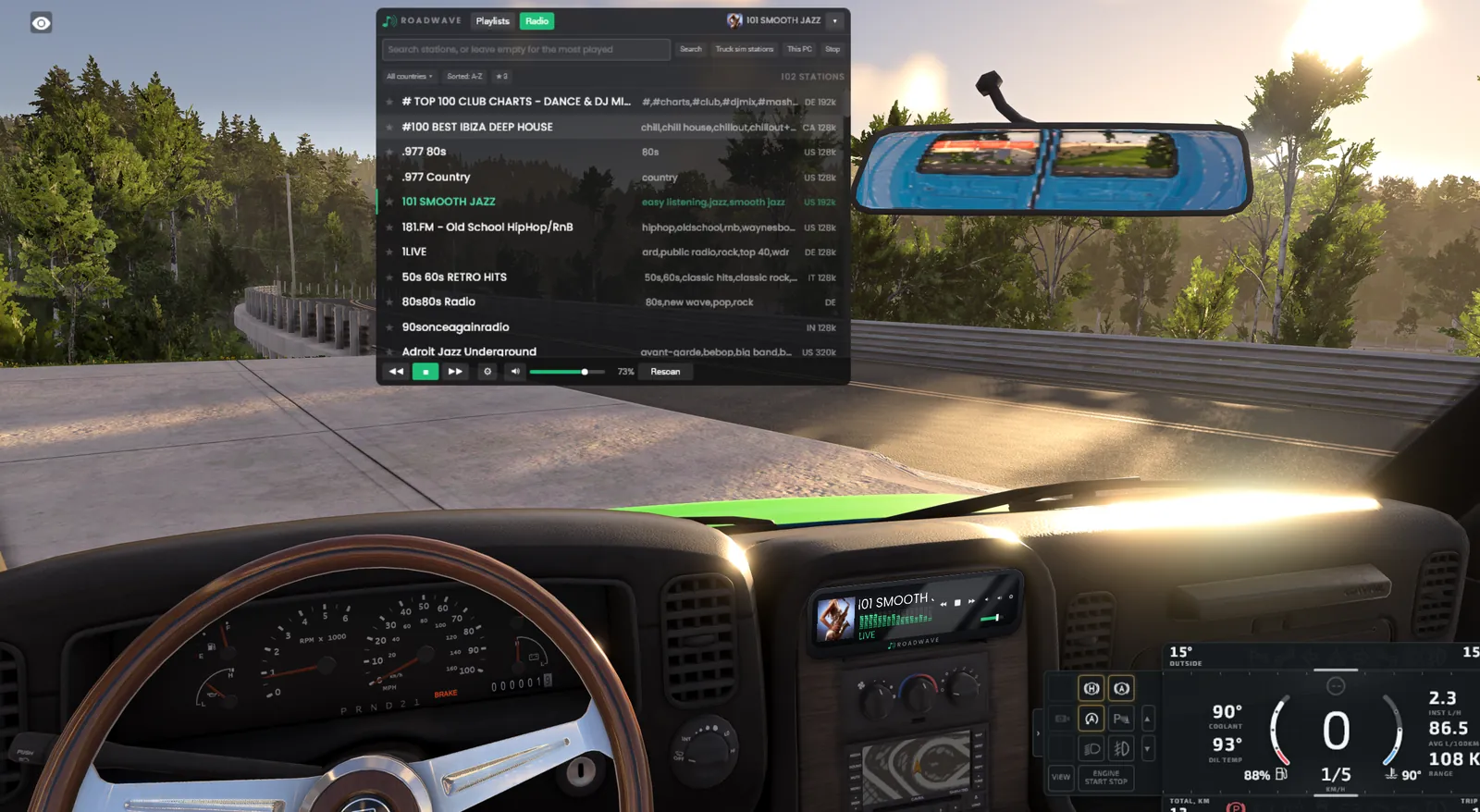
Desktop audio
Your PC's own sound, in the car
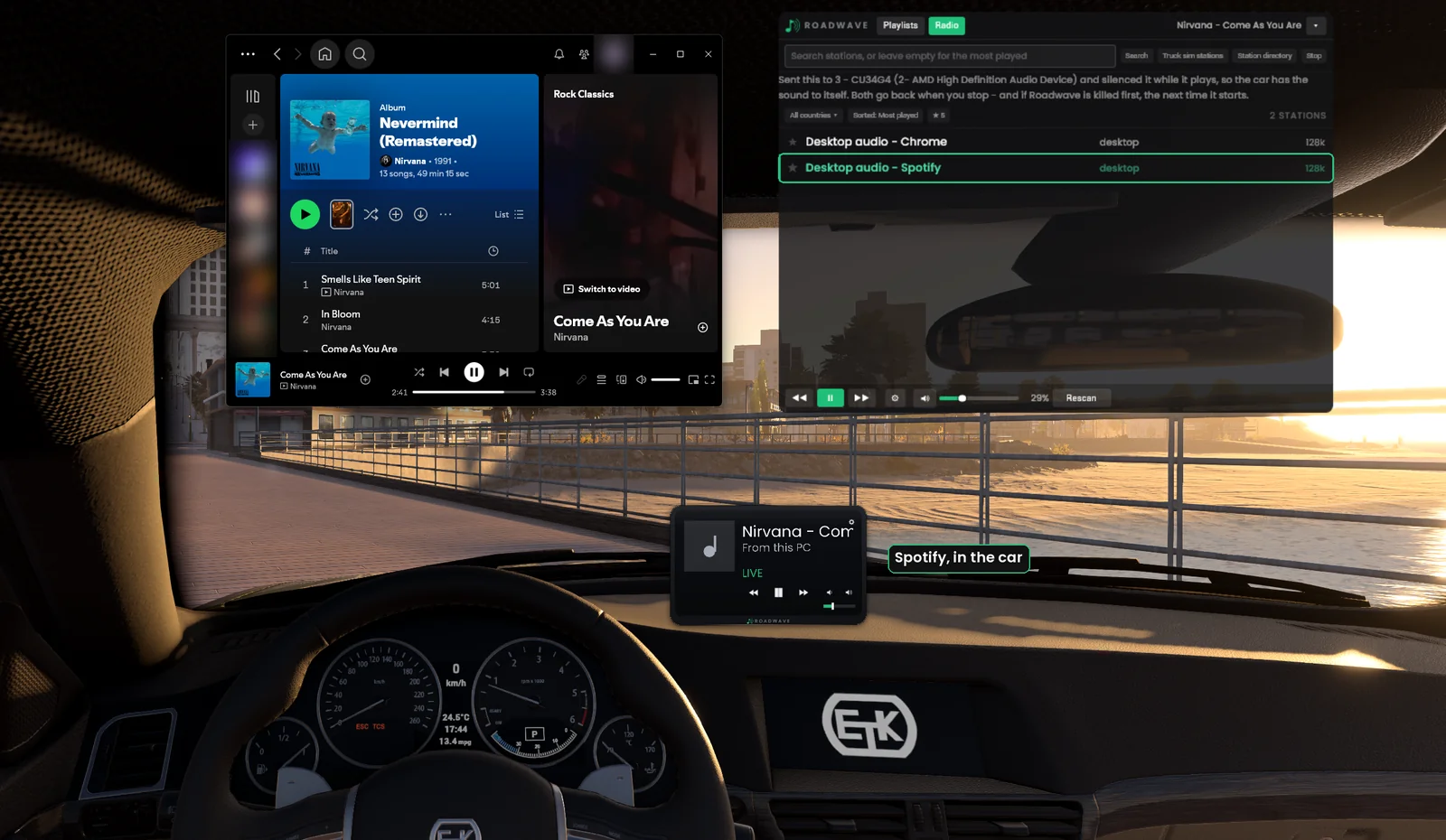
Press This PC in the game's Radio tab and pick the program you are listening to.
Its sound moves into the car: 3D, muffled from outside, fading as you walk away, exactly like a
station or a track. It is live: the audio passes through to the game as it plays, and nothing is
written to disk. The row is named after what is actually playing rather than after the
program, and the in-car player shows the song's title and artist, so you can read the track from
inside the car. The car's own next, previous and play buttons move the program on your PC as
well, with nothing new to bind.
Chrome · Spotify · VLC · anything→Roadwave Link→out of the car, in 3D
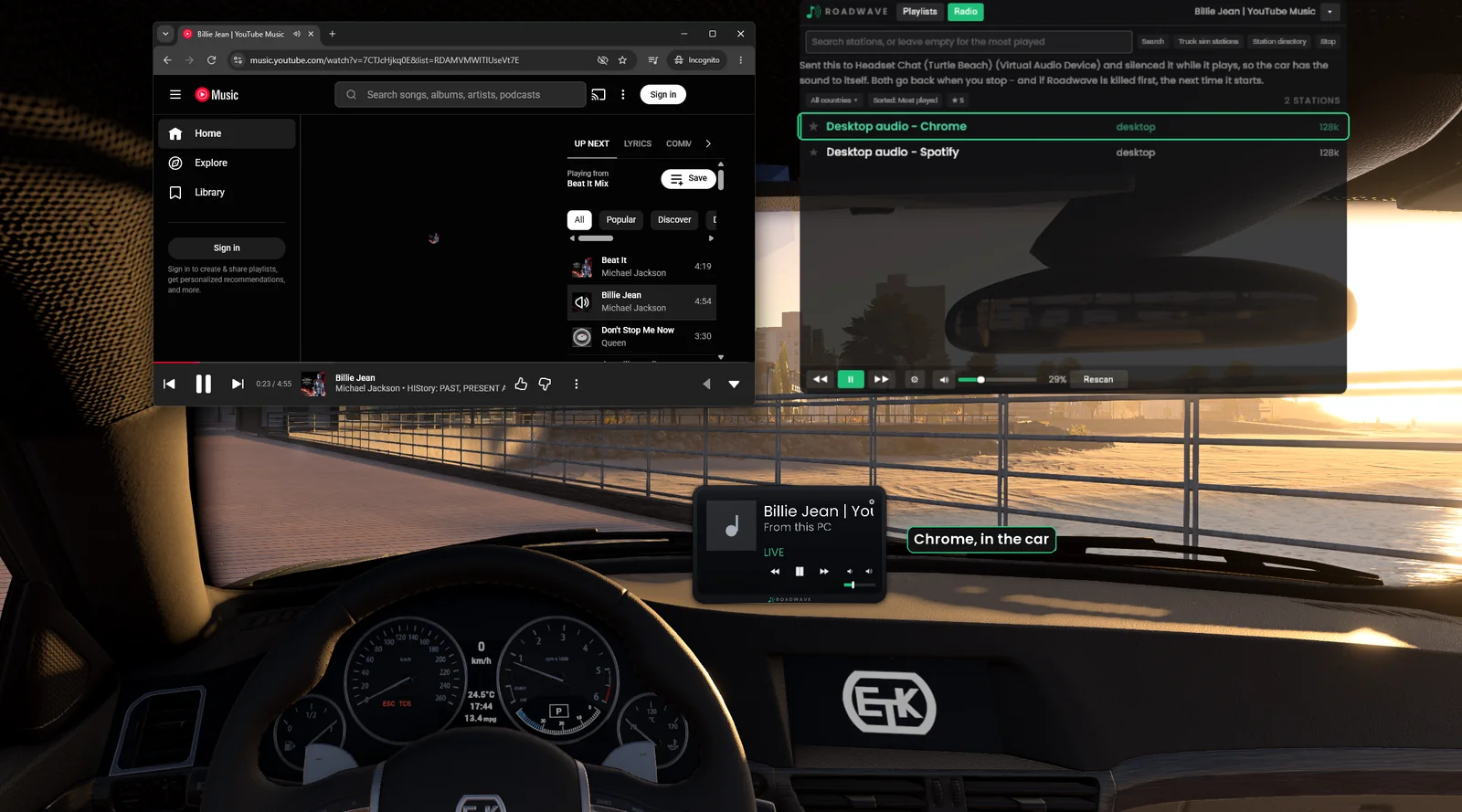
Spotify on the PC, and the same track playing out of the car. The row is named after what is playing.Not only Spotify. A browser tab comes through the car the same way, and it can sit behind the game the whole time.
Player looks
Three looks for the in-car player
Open the gear panel, and the Player row has Style. Glass is the free mod's look,
Glass + spectrum adds a spectrum analyser under the artist, and Classic is an
early-2000s head unit: amber title, cyan controls and a full-width analyser whose peaks hang for a
moment before they fall. All three come in 1-DIN and 2-DIN, chosen per car.
Corners sets how round the player is, and Bezel the edge around the glass, from Full
with the Roadwave name on the chin to None for glass from edge to edge. The spectrum is read from
the same sound you hear: your playlists, the radio and This PC.
The looks need Roadwave Link running. Close it and the player goes back
to the free look until Link is back, with nothing you chose lost.
Classic, 2-DIN, on an internet station.Glass + spectrum as a slim 1-DIN unit, in the slot where the car's own radio would sit.
Internet radio
Real stations, in the cabin
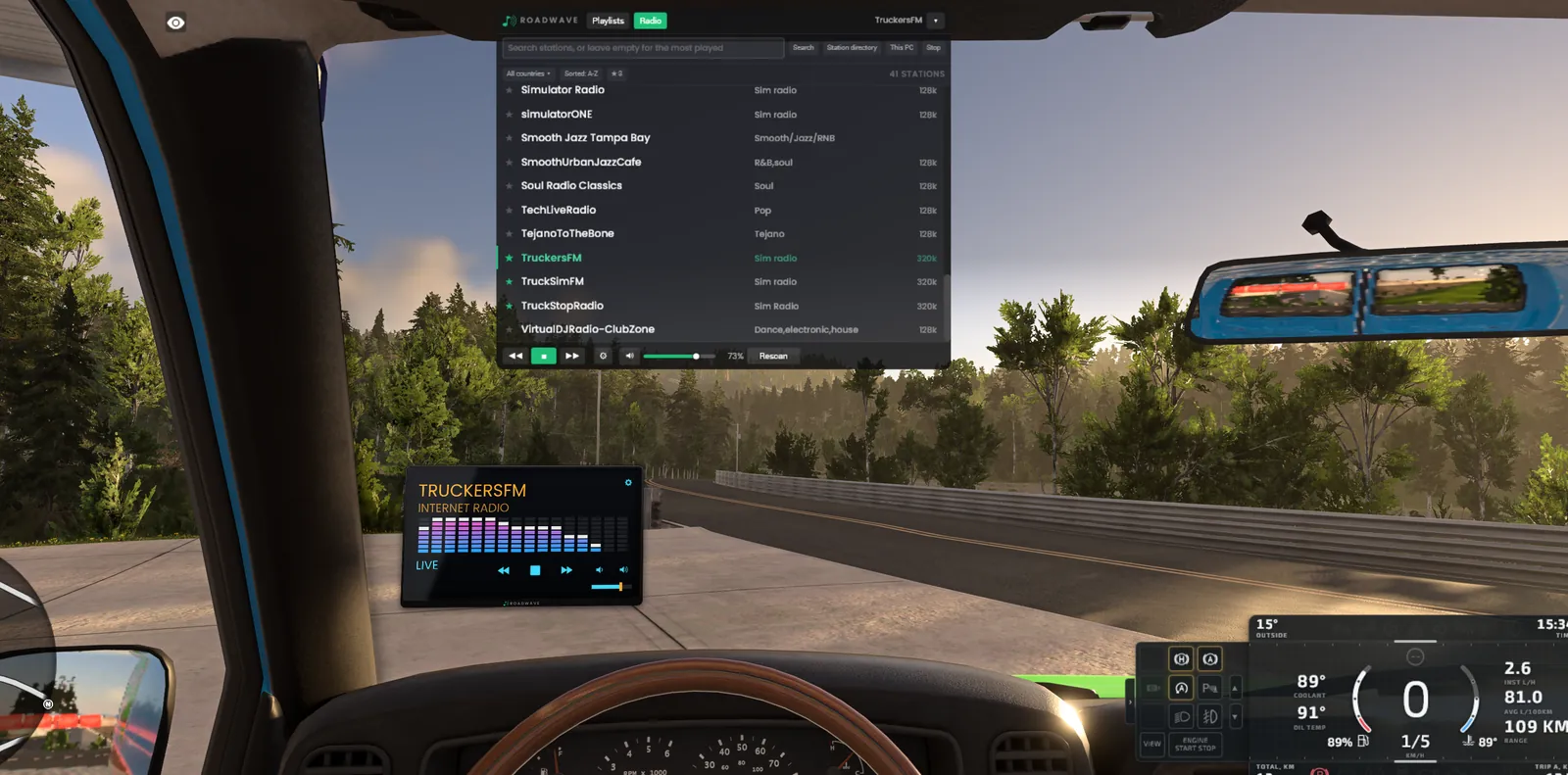
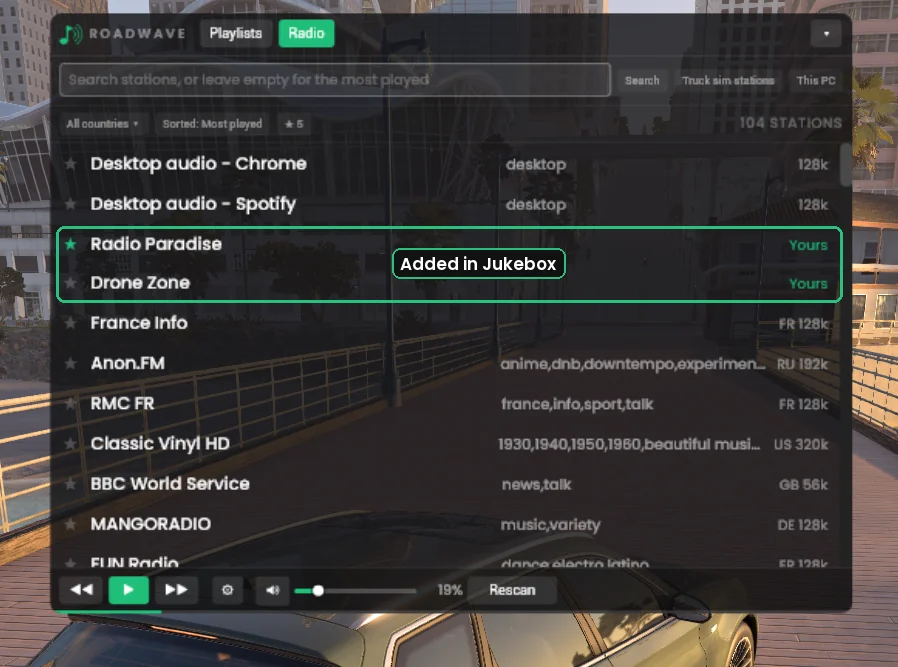
Search by name or tag, filter by country, star the ones you keep coming back to. Station logos
appear on the in-car screen, and the list opens on the country of the map you are driving.
Add stations of your own in the Jukebox, a local broadcaster or a stream address you already
know, and they sit at the top of the Radio tab. If you have Euro Truck Simulator 2 or American Truck
Simulator installed, it can read the stations out of your own copy and add them.
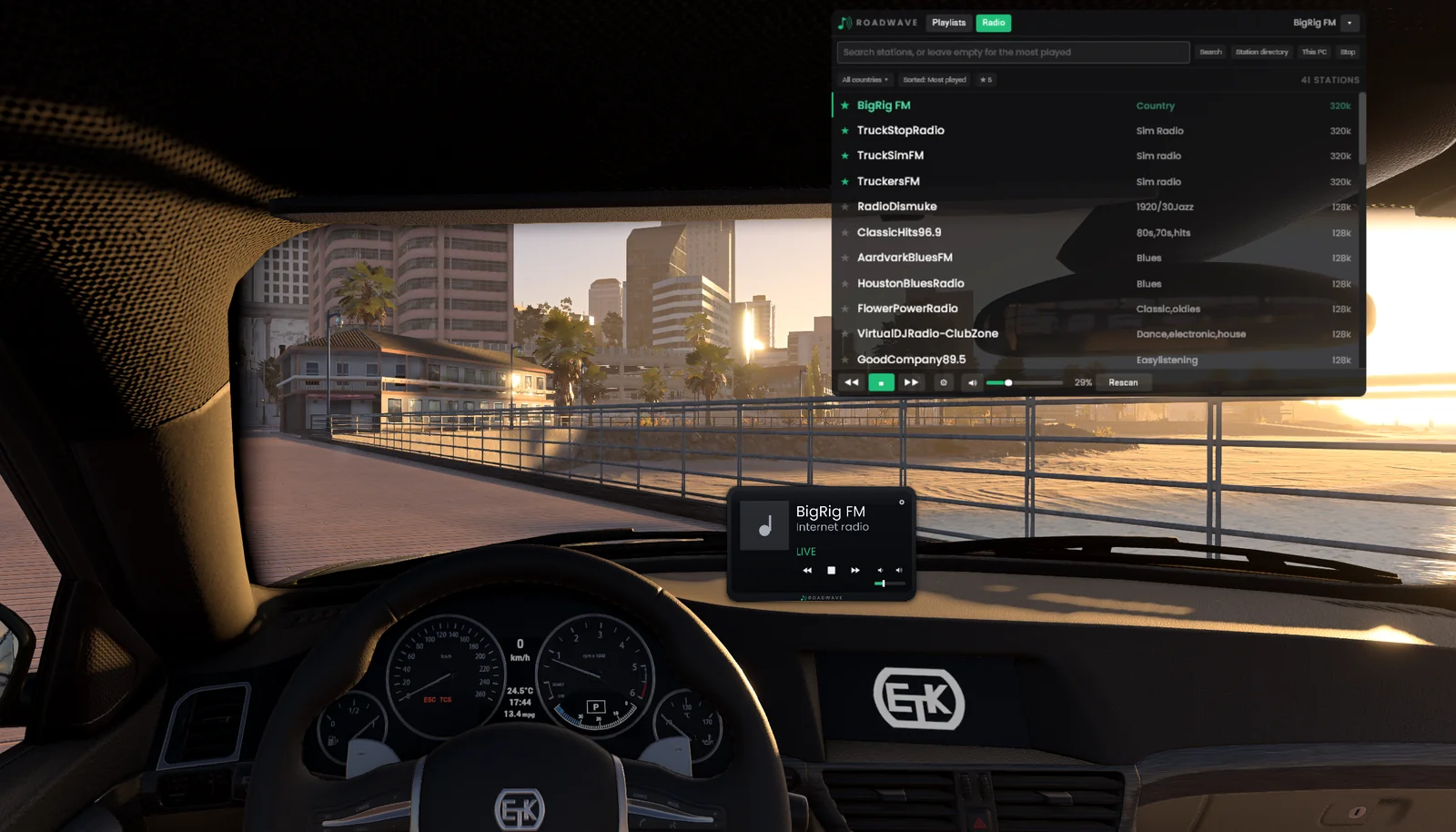
Two stations added in the Jukebox, at the top of the list and marked Yours.Stations read out of your own truck sim install. The in-car screen names the station and says it is live.
Car tone
Your music takes the sound of the car
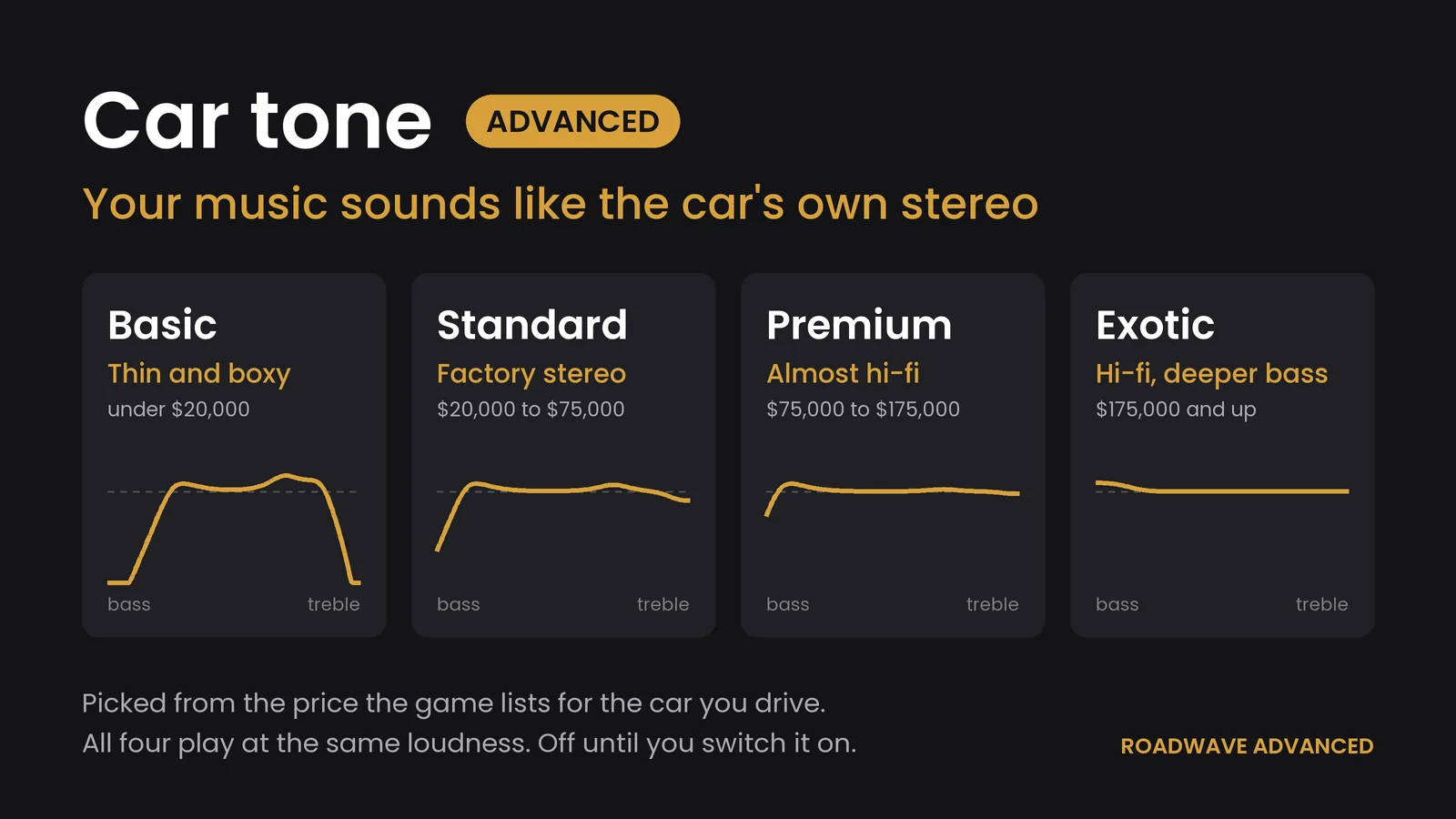
Roadwave reads the price the game publishes for the configuration you are in and shapes the
music to match the stereo that car would have: thin and boxy in a cheap one, a factory stereo
in the middle of the range, and the dearer the car, the closer it stays to the music as it was
recorded. The button names the tier it picked, Basic, Standard, Premium or Exotic, so you
can hear the difference and see why. It is off until you switch it on, and the tier follows
whichever car you get into.
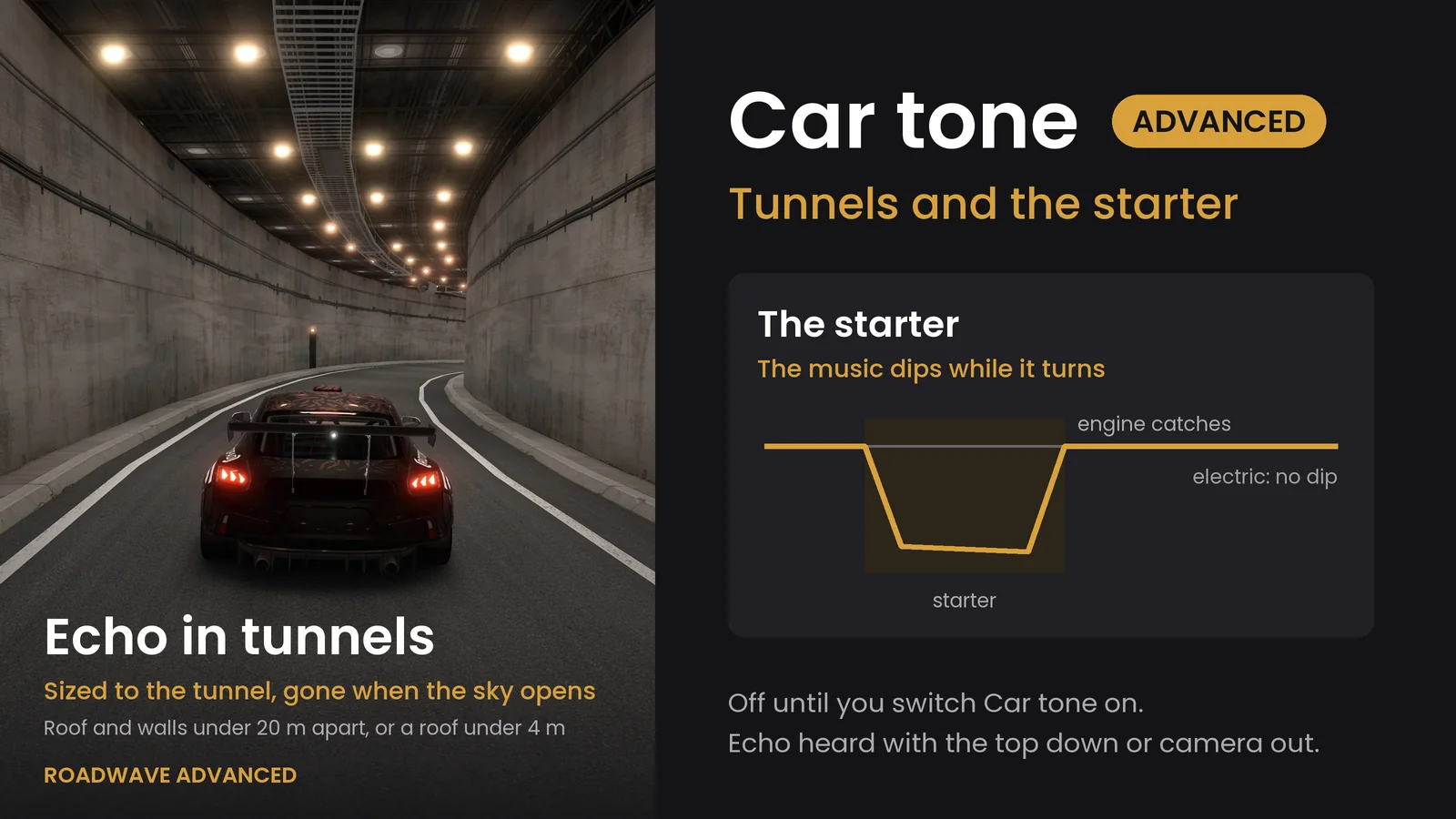
It hears the starter and tunnels too. The music sags for a moment while the starter turns
and comes back as the engine catches, the way a real stereo does when the battery is loaded; an
electric car never dips. A tunnel gives the music a short echo sized to the tunnel, and it ends
when the sky opens above you again. Shut inside a closed car you hear none of it. With the top
down, the windows broken or the camera outside, you hear all of it.
Three things it is not. The price is what the game lists and not a
verdict on the car, so a stripped-out race car reads as expensive. A configuration the game
gives no price for plays flat, which is about one car in six. And it is a tone curve on the
music, not a second set of speakers.
The four tiers and the price band behind each one.The echo in a tunnel, and the dip while the starter turns.
Playlist builder
Roadwave Jukebox
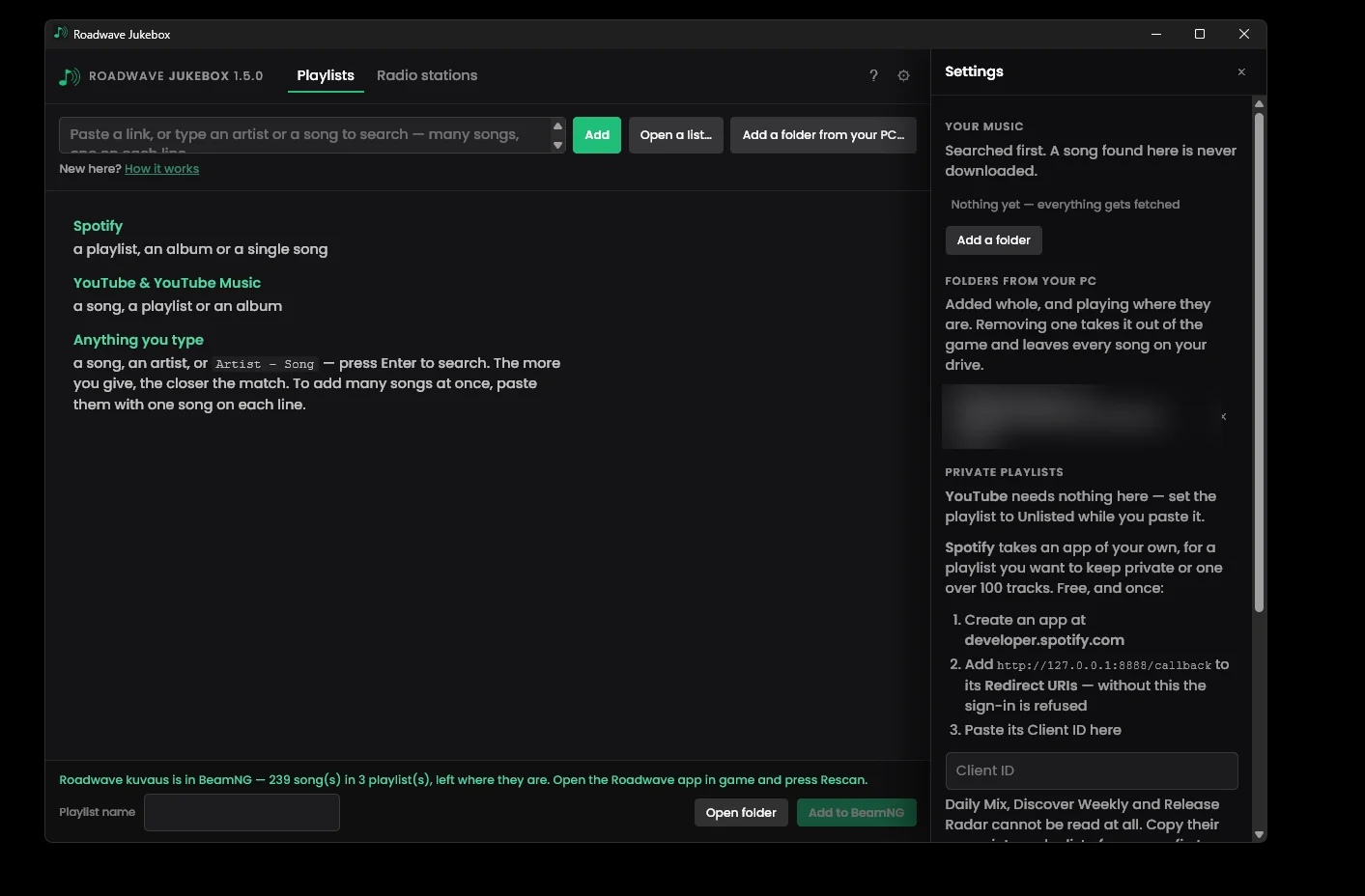
Paste a Spotify or YouTube link, or just type artist and song names, and it builds a playlist
folder the mod reads. Your own music folders are searched first: anything you already own
is copied, never downloaded. Everything else is matched by running time, because a cover version
or a live cut shares a title but not a length.
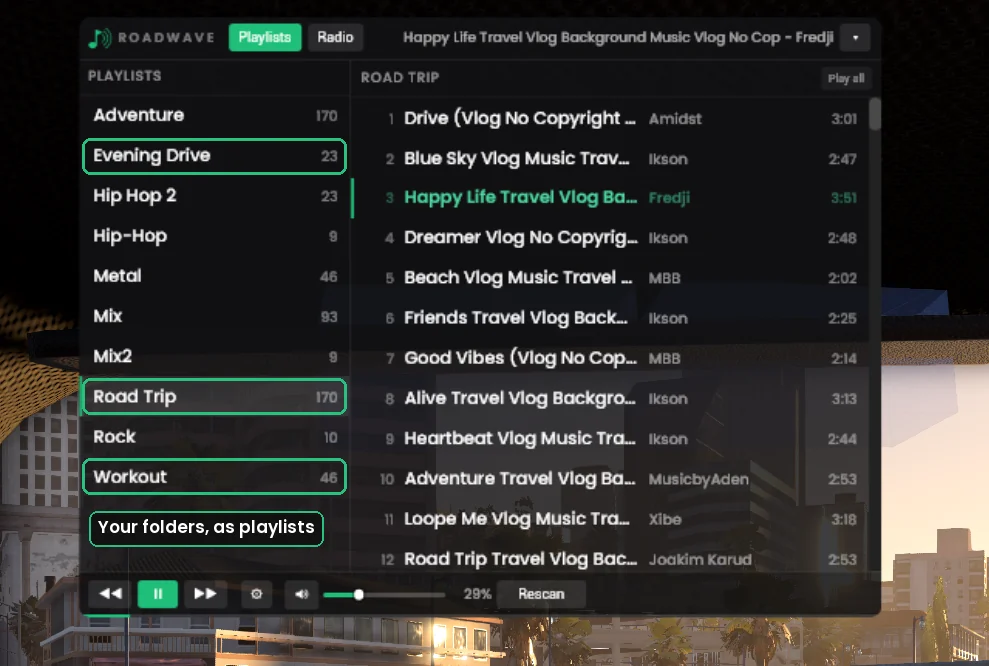
Or point it at a music folder you already have, on any drive. It plays in the car as one
playlist per folder inside it, and nothing is copied, moved or renamed. Track lengths are read from
your own files, and artist names too when the files carry them.
A folder from your PC, added whole and playing where it is. Removing it takes it out of the game and leaves every song on your drive.In the game, each folder is a playlist of its own.
There is a longer walkthrough on YouTube showing the internet radio and the playlist builder in use:
Roadwave: full walkthrough.
It was recorded before desktop audio existed, so This PC is not in it.
One thing to know before you buy
Desktop audio needs a second audio output. The rest does not
To give the car the sound to itself, This PC moves the program you are listening to onto
another output on your machine and silences that one while it plays, then puts both back when you
stop. That needs somewhere to move it to. If your PC has only one output, a laptop with
nothing but its built-in speakers, a desktop with a single soundbar and no headset, the music
comes out of your speakers as well as the car. The game says so on screen when that is your case.
This is how Windows works, not something the mod can fix.
It affects that one feature and nothing else. Internet radio, the
Jukebox playlist builder and the whole free mod work exactly the same on a PC with a single output.
What the free BeamNG.drive mod already does
Advanced sits on top of this. None of it is behind a payment, and none of it ever will be.
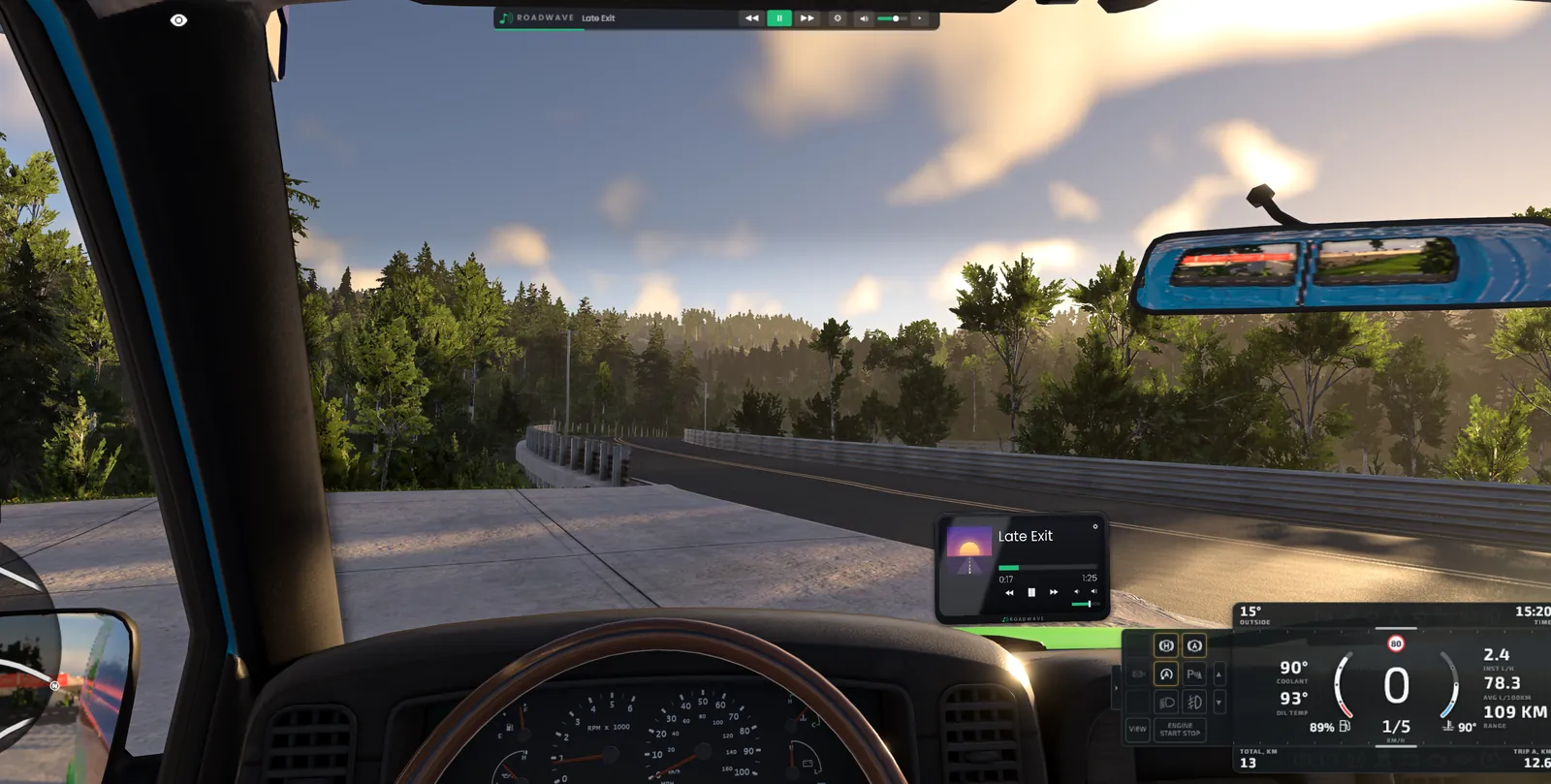
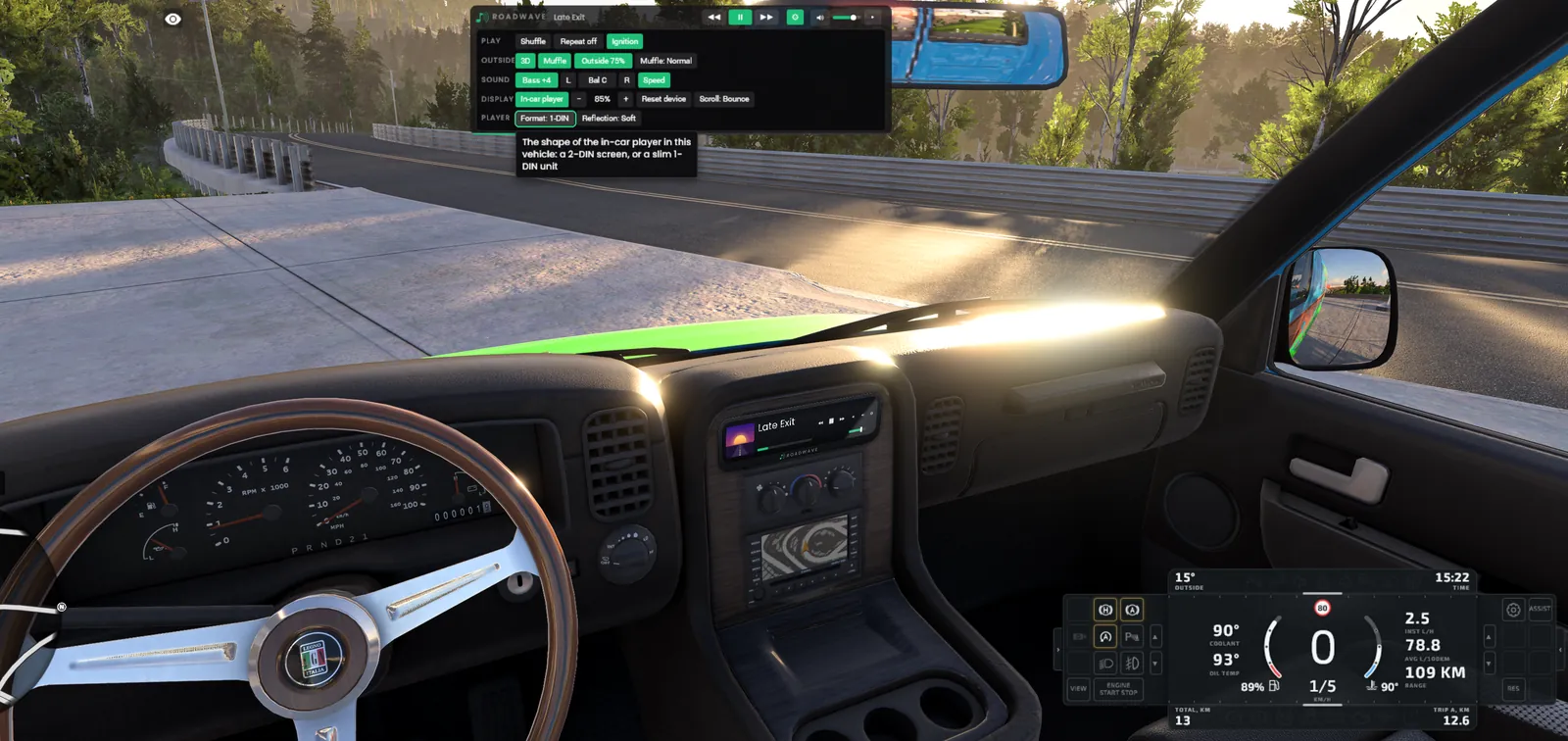
The in-car player, redesigned in 1.8: dark glass in a rounded body, with a reflection that slides as your head moves. It is a screen in the cabin, not an overlay, and it sits where you put it in every car.Or a slim 1-DIN unit, for cars where a tall screen covers too much of the road. Each car remembers its own.Collapsed, the browser is one small bar. Every setting lives behind the gear, one row per subject.
A screen in the cabin
Drag it where you want it, scroll to resize, pick 1-DIN or 2-DIN. Every car remembers its own placement, modded cars included.
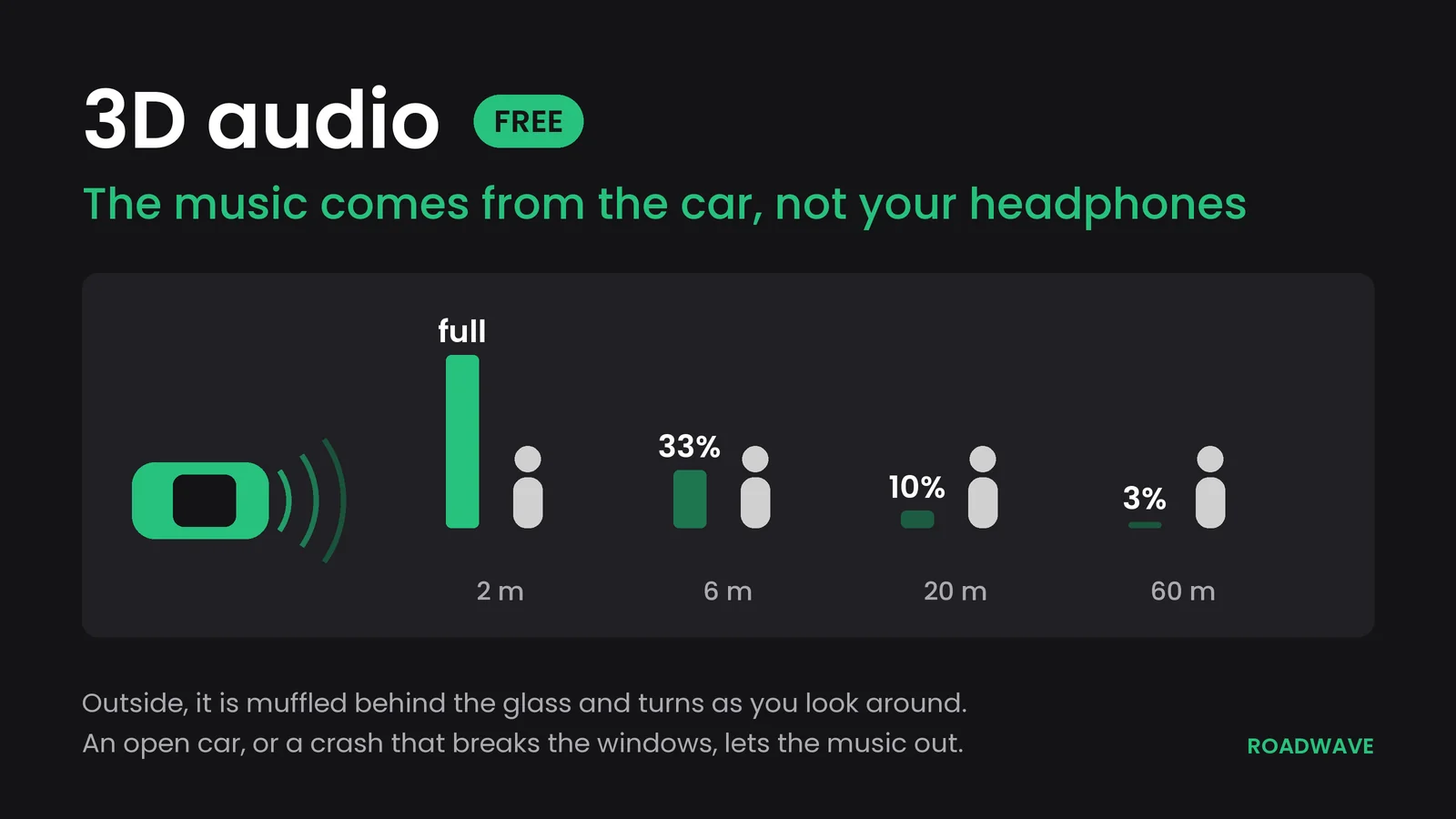
3D positional audio
The music comes from the car and fades and dulls as you walk away from it. One button turns it flat if you would rather.
An open car sounds open
Open a door, put the top down, ride an ATV or a motorcycle, or break the windows in a crash, and the music gets out.
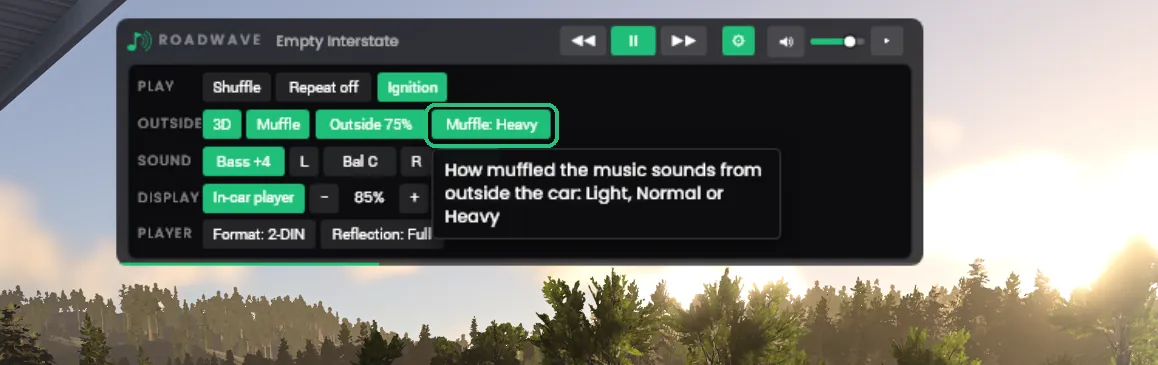
Outside volume and muffle
Set how loud the music is with the camera outside, 100 down to 25 percent, and how muffled: Light, Normal or Heavy. The cabin stays as it is.
Your own files
mp3, ogg, wav, flac. One folder is one playlist, and Cyrillic names show as they are. Nothing is bundled and nothing phones anywhere.
The music keeps going
When a playlist ends with Repeat off, the next one starts, and after the last it goes back to the first.
Eight bindable controls
Keyboard and gamepad, so you can change track without letting go of the wheel.
Louder with speed
Optional: the music comes up over the engine and wind noise as the car goes faster. Off until you switch it on.
Balance
L, Bal and R in the gear panel, ten steps each way. It turns the far side down rather than moving the sound across, the way a car's head unit does, and it is saved.
The cabin sounds centred
Inside the car the music comes from the middle rather than leaning towards the passenger side. Outside the car, the sound is unchanged.
Set up the free mod in a minute
No music ships with Roadwave: you add your own files. No path to type and no restart. There is also an 80-second setup video.
Pause menu, HUD Apps: add Roadwave Player and Roadwave Browser, filed under Dashboard and General.
3. Open music folder
Press it in the Roadwave Browser. The mod makes the folder and Explorer opens in it.
4. One folder per playlist
Make a folder, name it after the playlist and copy your mp3, ogg, wav or flac files in.
5. Rescan
Press Rescan in the browser. The playlist appears and plays, with the game still running.
What people ask for tends to ship
Roadwave has a discussion thread on the BeamNG forum, and it is not decoration.
A good part of what is in Roadwave right now is there because somebody asked:
abrarsl wanted the music to stop with the ignition. That went in as an option in 1.2, off by default, because a car that goes silent for a reason you cannot see gets reported as broken.
zaqios and PotatoCubes both asked for bass. 1.3 added a lowshelf with four steps, saved with the rest of your settings.
redstartitan pointed out that the collapsed bar took more room than the old one did. They were right, and in 1.6 the collapsed browser is one small bar, with the settings behind a gear.
idk_2401 noticed the music leaning to the right. 1.5 puts the cabin sound in the middle, and their idea of a balance control is in 1.5 too.
Josh94 asked for a luxury car to have a better stereo than an economy one. That became Car tone in Roadwave Advanced.
Slammer asked for an open car to sound open and for broken windows to let the music out. Both are in 1.6.
abrarsl asked twice, and bloodytide_cat once, for an open door to let the music out. In 1.8 it does, a little more for every door you open.
abrarsl plays in first person and wanted the radio quiet from the street. 1.8 added outside volume and a choice of how muffled it sounds.
idk_2401 reported Cyrillic track names showing as question marks. In 1.8 they show on the player as they are.
So if something is broken, missing, or just annoying, say so. Bug reports and
ideas are equally welcome, and a rough description beats no report at all. Both programs write a log to
%LOCALAPPDATA%\Roadwave\, and that plus what you were doing usually makes it fixable in
one reply.
For a bug, email garagegraphicsdesigns@gmail.com and attach the log; a message on Ko-fi or Patreon
works too. Ideas and questions are just as welcome there, or in the discussion thread,
where other players can add to them. A Discord is something
I am considering, but it does not exist yet. I would rather point you somewhere real than somewhere
planned.
What it is not
No music included. You bring your own files, or your own streaming accounts.
No DRM. No licence key, no activation, no phone-home check. What arrives is an installer.
It does not download music for you. Roadwave Jukebox reads a track list and finds the songs; what you do with them is yours, and you are responsible for having the right to it.
Nothing is recorded. Radio and your PC's own sound both pass straight through to the game as they play. No stream is stored, nothing is rebroadcast, and no station's ads are skipped or added.
Spotify gives names only. Reading a Spotify playlist gets names, artists and lengths: never audio, never cover art, from Spotify itself.
Questions
Do I need this to use Roadwave?
No. The free mod is a complete music player for BeamNG.drive on its own and always will be. Advanced adds desktop audio, internet radio, Car tone, the player looks and the playlist builder on top of it.
Windows Defender flagged the installer. Is it safe?
A new version can be flagged in its first days. The installer is not code-signed, and Defender's automatic detection is wary of any new unsigned program until Microsoft has reviewed it. Every version is sent to Microsoft on release day, and so far their analysts have found nothing in any of them. If yours is flagged, email garagegraphicsdesigns@gmail.com and I will send the file's SHA256 so you can check your download.
Which programs can it play through the car?
Any program on the PC: a browser, a music player, a livestream. It has been tested in game with Chrome, the Spotify desktop app and VLC; other players appear in the list, and those three are the ones verified by hand. A few players hold the sound card to themselves (certain foobar2000 and DAC setups do this), and those cannot be played through the car at all. Roadwave notices within a few seconds and tells you rather than sitting there looking broken.
What actually downloads when I buy?
A zip holding one installer plus a readme and instructions. The installer's filename says Jukebox rather than Advanced: Jukebox and Link are the two programs inside it. It installs per-user and needs no admin rights.
Does it work on Mac or Linux?
No. Windows only, version 10.0.17763 (Windows 10 1809) or newer. The free mod itself runs wherever BeamNG does.
What happens when BeamNG updates?
The two Windows programs are unaffected by a game patch. The free mod is the part that occasionally needs a new version, and that arrives through the repository like any other mod update.
What if something goes wrong?
Email garagegraphicsdesigns@gmail.com, or message through Ko-fi or Patreon. Both programs write a log to %LOCALAPPDATA%\Roadwave\, and sending it along with what you did and what happened instead usually makes it fixable in one reply. Feature ideas are just as welcome as bug reports.
Should I subscribe on Patreon instead?
Only if you want to support the work month to month. The monthly tier is a supporter tier. It does not include Roadwave Advanced. Advanced is a one-time purchase, and buying it on Patreon or on Ko-fi gets you exactly the same file.
Can I get a refund?
If Advanced does not do what this page says and it cannot be fixed together, message within 14 days of buying for a refund through Ko-fi's or Patreon's own request flow. After that there is still help, just without the refund guarantee.
Roadwave Advanced for BeamNG.drive
From $6 · a one-time purchase · no licence key · no DRM
Pay more than $6 if you want to; nothing changes if you do not. Prices are in US dollars, and Patreon
converts to your own currency at checkout, so the figure there may read a little differently. Same file
on either store.
There is also a monthly supporter tier on Patreon, for anyone who wants to back the work as it
continues. It is not how you get Advanced. That is the one-time purchase above, on either store.
Follow the build
See new features before they ship
Short clips of what is being built, and what the next version adds.